

Let them hold their phone up and have everything open on one page.
Business card, shop window, table or brochure: with one tap or one QR scan your contact details, social media, location and WhatsApp open on a single page. The other person doesn't need to install an app.
You print the card once. The details change. The card doesn't go in the bin.
The chip or QR on the card opens a short link that you control. Even if your phone number, address or menu changes, you don't have to reprint your cards.
Hold the phone to a chipped card or tag and the page opens.
The phone's camera is enough; on a table, in a shop window, on a brochure.
Most businesses use both together.
NFC or QR? Both.
Both open the same page; the difference is where they're used.
Tap
Ideal for business cards, cards and tags. A small chip sends a web address when a phone comes close, and the phone opens it.
Newer iPhone models read NFC tags in the background; on Android phones NFC must be switched on.
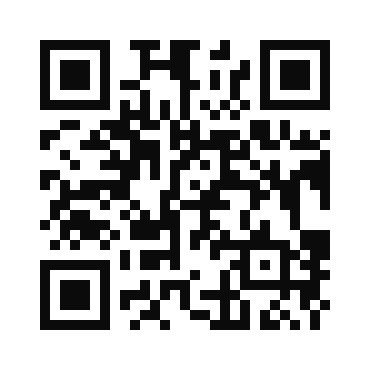
Scan
Ideal for printed surfaces and scanning from a distance. A table, a shop window, a brochure or an image on a screen.
The phone's camera is enough; it works on iPhone and Android. The QR on the left is real: scan it with your phone and our site opens.
What's on your page?
Who is it for?
- Businesses and shopkeepersA QR on the shop window, counter or table with menu, review and location links.
- Real estate agents and developersProject and contact details at the sales office and on the listing brochure.
- Hotels and restaurantsAn information, menu and contact page in the room and on the table.
- Teams and professionalsA digital business card for each employee.
Why does the code you print stay the same?
NFC tags and printed QR codes are permanent, but the page they show can change over time. That's why we don't put the final page into the code; we put a short redirect link that you control.
Even if the page moves or is updated, you don't reprint the card. If a card is lost, the redirect can be switched off.
What do we check before printing?
A printed code can't be taken back, so we check four things before printing.
- The QR code is scanned from the output file to confirm it goes to the right address.
- The code is tested on at least one iPhone and one Android phone, on the real material and in real light.
- Vector files (SVG and PDF) are prepared for print and PNG for screens.
- No personal data is written into the code; it only carries an address, and the details stay on the page.
What determines the price?
After listening to your needs we give a clear quote. The price depends on:
- Number of pages and design scopeOne page or several; how much custom design.
- Number of people or businessesEach employee or branch may need its own page.
- Number of QR and NFC outputsHow many cards, tags and print files will be prepared.
- Extra featuresRequests such as a multilingual page or visit measurement.
The first meeting is free. We listen to your needs and present the scope and budget in writing. You're under no obligation to accept the quote.
Questions you may have
What is an NFC business card?
A card with a chip inside that opens a web page when tapped against a phone. The page holds your contact details, social media, location and other links.
How is an NFC business card made?
First the biolink page is prepared, then the page's address is written to the chip of the NFC card or tag and a read test is done. Antakya360 prepares the page, links the address to the card and QR outputs and tests everything before delivery.
Does the other person need to download an app?
No. The phone reads the NFC tag or QR code directly and opens the page in the browser.
Does it work on both iPhone and Android?
Yes. Newer iPhone models read NFC tags in the background; on Android phones NFC must be switched on. QR codes are read with the camera on both platforms.
Which is better, QR code or NFC?
Both open the same page. NFC is for quick access by tapping, while QR suits printed surfaces (table, shop window, brochure) and scanning from a distance. For most businesses the two are used together.
What happens if I lose my card?
The card holds no personal data, only an address. When we switch off the redirect, the card stops working; your page and your other cards are unaffected.
Can my card be copied?
The address on a standard NFC tag can be copied by anyone with a phone. Since the address leads to a publicly open page, this isn't a problem for most businesses. If the card has to prove something (a member discount, a staff badge), a secure chip type and server-side verification are needed; that's extra work.
Scan it, and the page opens.
The QR on the right is real: hold your phone's camera to it and our site opens. Your card will work the same way. The first meeting is free; the quote is written and clear.
Last updated: 6 November 2026